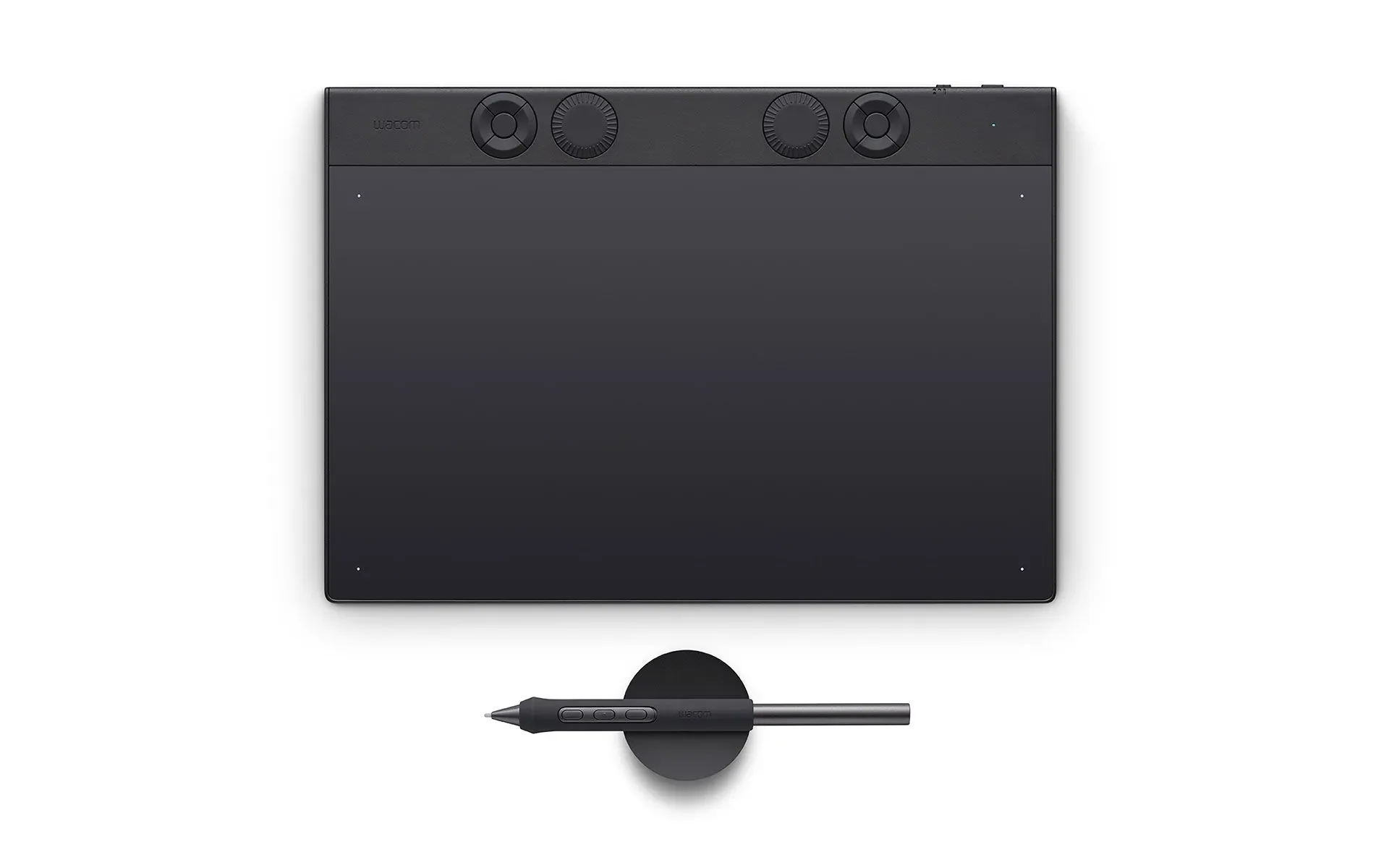
Wacom Intuos Pro Medium – 2025 Graphic Tablet Black 263 X 148 Mm USB/B
A Workflow that works


WORK IS HOW YOU CREATE


FLOW IS THE FEELING OF CREATING

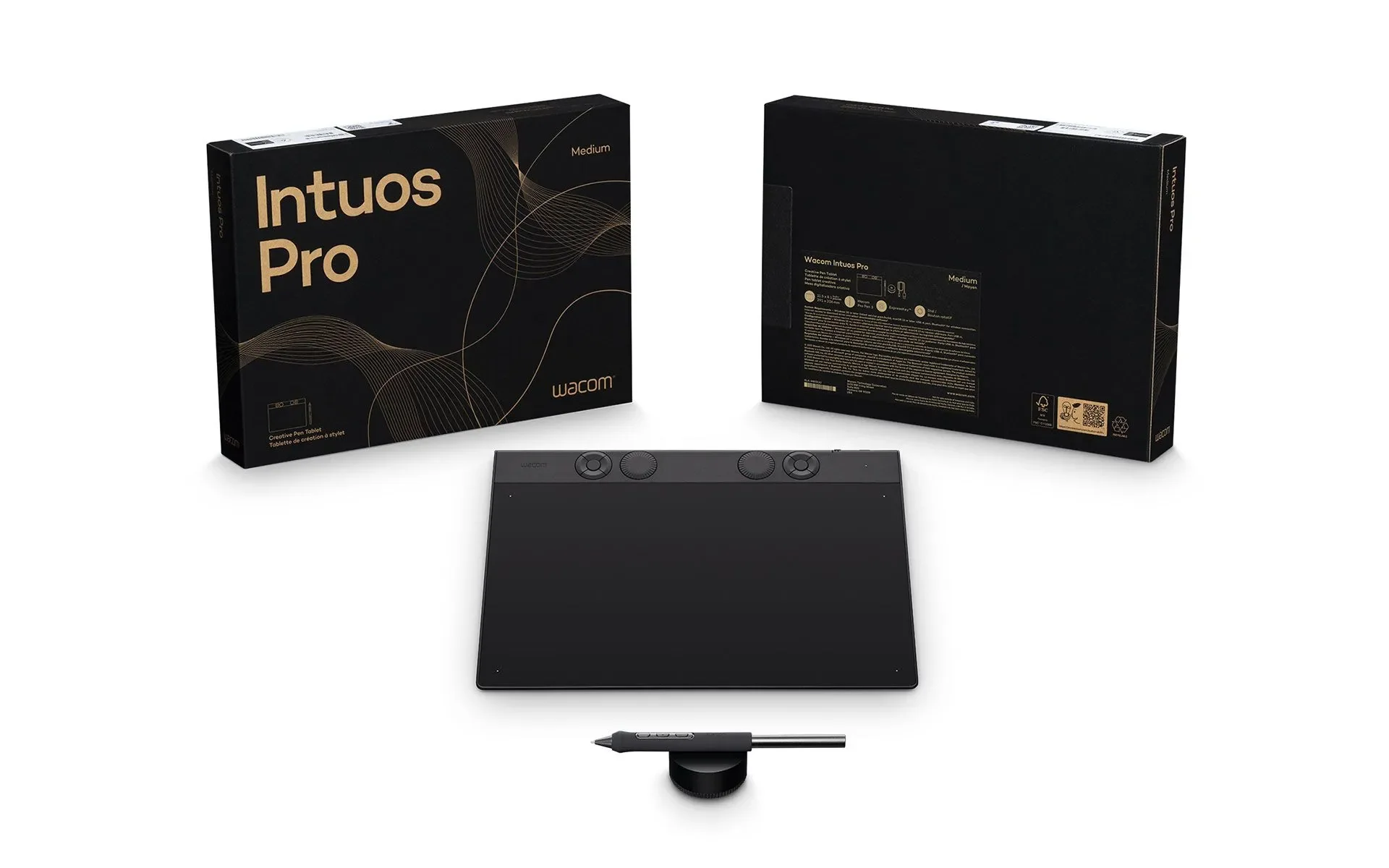
The new generation Wacom Intuos Pro
- Completely redesigned from the inside out
- Wacom's most advanced pen tablet technology
- A powerful new chip and digitizer set
- Customize the tactile ExpressKeys and dials for any application
- Ergonomic layout for right and left hands
- Can be connected with USB or with wireless bluetooth - up to 16 hours per charge
- Tablet selector button switches between wired and wireless connections
- Slim tablets with narrow frames minimize size while maintaining large, 16:9 ratio active areas
- Control and create in professional illustration, 3D, motion graphics, and image editiing applications
Where the WORK meets the FLOW
Work is how you create ... Flow is the feeling of creating. Experience perfect harmony between Work and Flow with Intuos Pro, our flagship line of professional pen tablets. The new Intuos Pro line has been completely redesigned to provide an all-new level of precision and control over your work – and an intuitive creative experience that lets your ideas flow effortlessly and efficiently.All three tablet sizes can be used with the included USB cable or wirelessly with Bluetooth – and a convenient switch allows seamless wireless connectivity to multiple devices.

Using the Wacom Intuos Pro Medium
Wacom Intuos Pro Medium is designed to meet the high standards of creative professionals, offering a seamless and intuitive workflow.
Engineered for precision and efficiency, it delivers a natural and responsive experience for digital creation, ensuring ultimate control and comfort.
Striking the perfect balance between size and performance, Wacom Intuos Pro Medium is the ideal choice for illustrators, designers, and photo editors. With a generous active area, customizable controls, and ergonomic design, it enhances productivity while maintaining a compact footprint for flexible work environments.

Video Editing & Post-Production
Streamline Your Workflow
Enhance your editing precision with the Wacom Intuos Pro Medium. Customize ExpressKeys and dials for quick access to key functions, navigate timelines effortlessly, and make frame-by-frame edits with the ultra-responsive Wacom Pro Pen 3. Stay in the creative flow and speed up your post-production process.
Markus Bledowski is a motion designer based in Germany who has been using Wacom products for decades. According to him, the newly redesigned Wacom Intuos Pro is the best version yet. “Even after 20 years of using Wacom products,” he says, “I’m really impressed.”

3D Modelling and Animation
Precision in Every Dimension
Sculpt, model, and animate with natural control using the Wacom Intuos Pro. The pressure-sensitive Wacom Pro Pen 3 delivers ultra-precise strokes, while customizable controls let you navigate 3D space effortlessly. Achieve smoother workflows and bring your ideas to life with precision and efficiency.
“It’s much more natural.” 3D artist Ryan Kittleson on the new Wacom Intuos Pro.This is especially important for digital artists who got their start with traditional tools, like Ryan. “When I first started using the pen, I was like, ‘Yeah, it’s much more natural,” he says.

Photo retouching
Flawless Edits, Natural Feel
Perfect every detail with the Wacom Intuos Pro Small. The advanced Wacom Pro Pen 3 mimics traditional brush strokes with unparalleled accuracy, while customizable shortcuts keep your workflow seamless. Achieve professional-grade photo edits with ease and stay in total creative control.
“It Just Feels Good.” Illustrator Joyce Liu on the new Wacom Intuos Pro. The new Wacom Intuos Pro takes her work and her process to the next level.
Why Photo Retoucher Sef McCullough Says the New Wacom Intuos Pro Is "Built for Work". Sef McCullough (@theretouchist) is a commercial retoucher and digital artist, especially liked the tactile feel of the redesigned dials and ExpressKeys.

The resolution in video is getting higher and higher, and that's why I need more precision in every project I do. Wacom products and the Pro Pen 3 give me the highest precision I have ever experienced so far. The combination of the dial and pen gives me many more options when I am using Adobe Premiere Pro and After Effects, and it is way, way faster than the way I was doing it before.
Original: $492.24
-65%$492.24
$172.28More Images
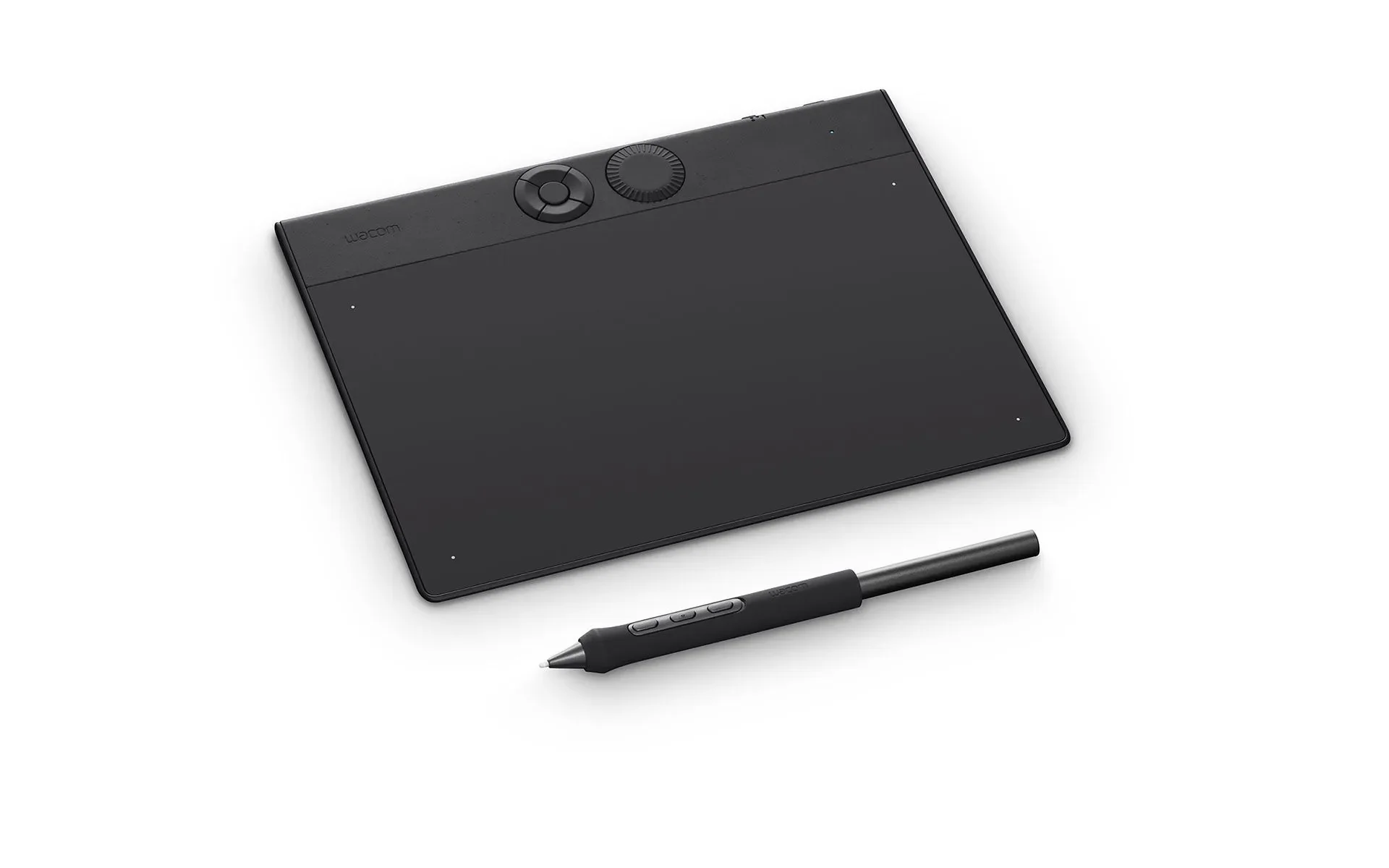
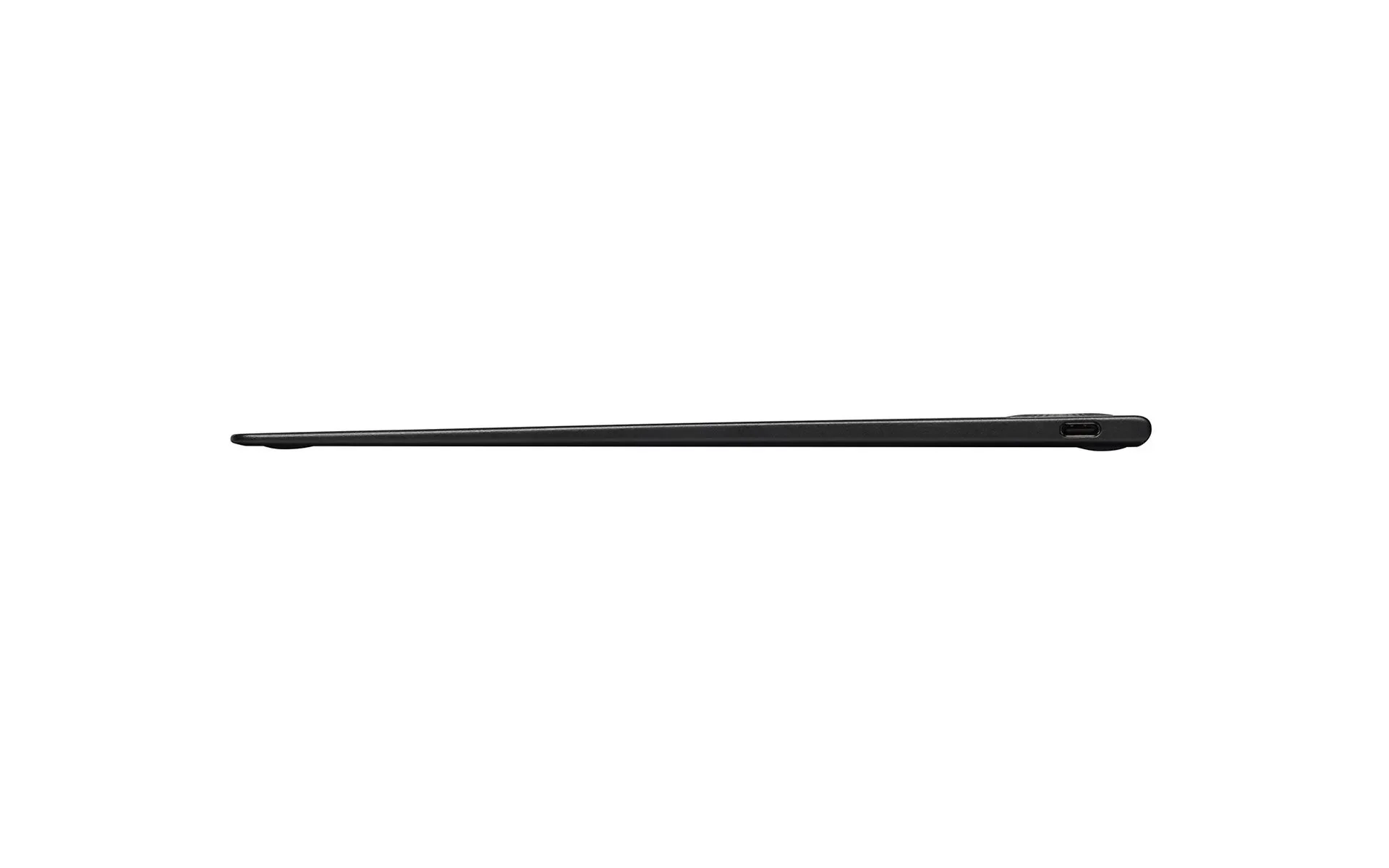
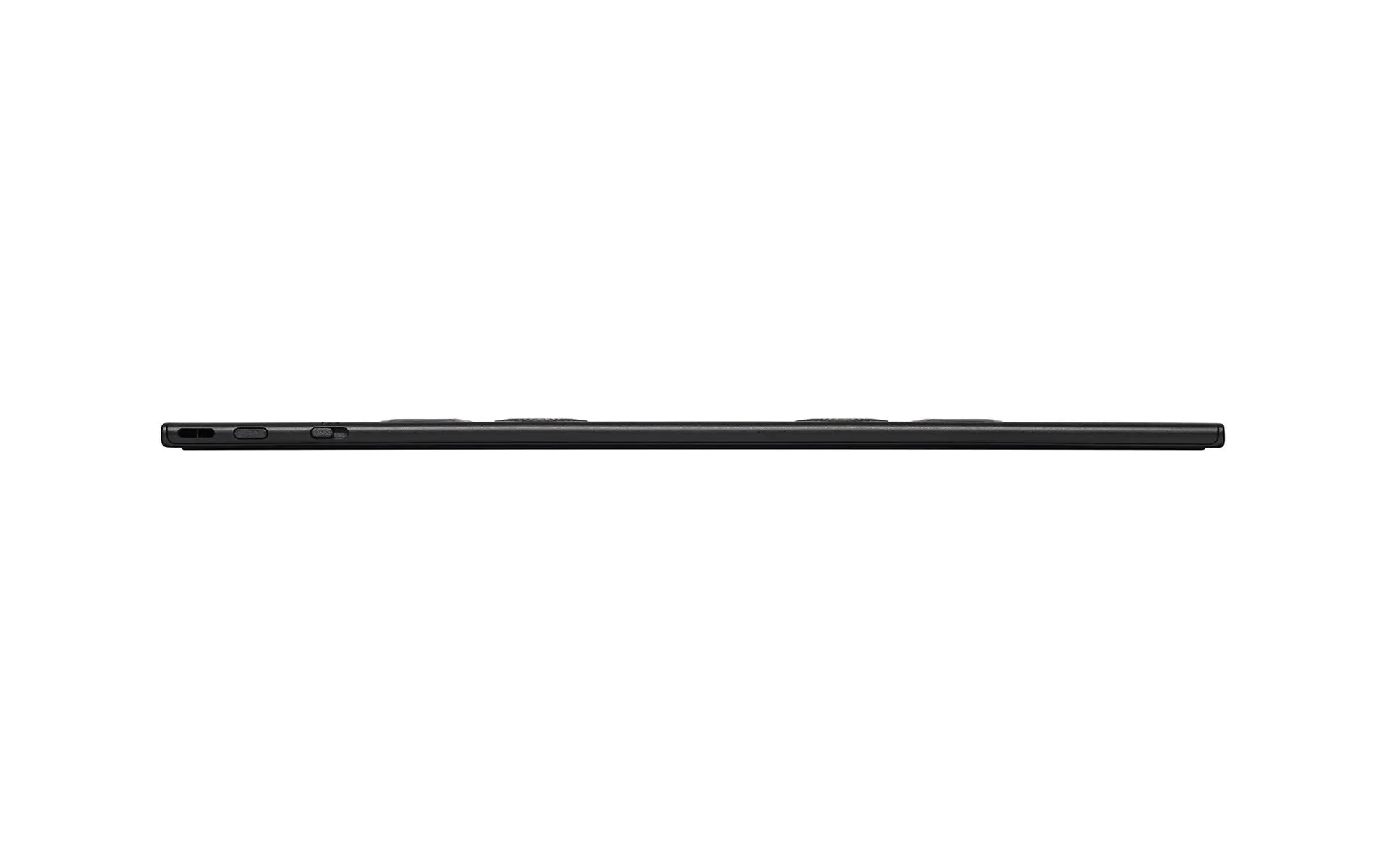
Wacom Intuos Pro Medium – 2025 Graphic Tablet Black 263 X 148 Mm USB/B
A Workflow that works
WORK IS HOW YOU CREATE
FLOW IS THE FEELING OF CREATING
The new generation Wacom Intuos Pro
- Completely redesigned from the inside out
- Wacom's most advanced pen tablet technology
- A powerful new chip and digitizer set
- Customize the tactile ExpressKeys and dials for any application
- Ergonomic layout for right and left hands
- Can be connected with USB or with wireless bluetooth - up to 16 hours per charge
- Tablet selector button switches between wired and wireless connections
- Slim tablets with narrow frames minimize size while maintaining large, 16:9 ratio active areas
- Control and create in professional illustration, 3D, motion graphics, and image editiing applications
Where the WORK meets the FLOW
Work is how you create ... Flow is the feeling of creating. Experience perfect harmony between Work and Flow with Intuos Pro, our flagship line of professional pen tablets. The new Intuos Pro line has been completely redesigned to provide an all-new level of precision and control over your work – and an intuitive creative experience that lets your ideas flow effortlessly and efficiently.All three tablet sizes can be used with the included USB cable or wirelessly with Bluetooth – and a convenient switch allows seamless wireless connectivity to multiple devices.
Using the Wacom Intuos Pro Medium
Wacom Intuos Pro Medium is designed to meet the high standards of creative professionals, offering a seamless and intuitive workflow.
Engineered for precision and efficiency, it delivers a natural and responsive experience for digital creation, ensuring ultimate control and comfort.
Striking the perfect balance between size and performance, Wacom Intuos Pro Medium is the ideal choice for illustrators, designers, and photo editors. With a generous active area, customizable controls, and ergonomic design, it enhances productivity while maintaining a compact footprint for flexible work environments.
Video Editing & Post-Production
Streamline Your Workflow
Enhance your editing precision with the Wacom Intuos Pro Medium. Customize ExpressKeys and dials for quick access to key functions, navigate timelines effortlessly, and make frame-by-frame edits with the ultra-responsive Wacom Pro Pen 3. Stay in the creative flow and speed up your post-production process.
Markus Bledowski is a motion designer based in Germany who has been using Wacom products for decades. According to him, the newly redesigned Wacom Intuos Pro is the best version yet. “Even after 20 years of using Wacom products,” he says, “I’m really impressed.”
3D Modelling and Animation
Precision in Every Dimension
Sculpt, model, and animate with natural control using the Wacom Intuos Pro. The pressure-sensitive Wacom Pro Pen 3 delivers ultra-precise strokes, while customizable controls let you navigate 3D space effortlessly. Achieve smoother workflows and bring your ideas to life with precision and efficiency.
“It’s much more natural.” 3D artist Ryan Kittleson on the new Wacom Intuos Pro.This is especially important for digital artists who got their start with traditional tools, like Ryan. “When I first started using the pen, I was like, ‘Yeah, it’s much more natural,” he says.
Photo retouching
Flawless Edits, Natural Feel
Perfect every detail with the Wacom Intuos Pro Small. The advanced Wacom Pro Pen 3 mimics traditional brush strokes with unparalleled accuracy, while customizable shortcuts keep your workflow seamless. Achieve professional-grade photo edits with ease and stay in total creative control.
“It Just Feels Good.” Illustrator Joyce Liu on the new Wacom Intuos Pro. The new Wacom Intuos Pro takes her work and her process to the next level.
Why Photo Retoucher Sef McCullough Says the New Wacom Intuos Pro Is "Built for Work". Sef McCullough (@theretouchist) is a commercial retoucher and digital artist, especially liked the tactile feel of the redesigned dials and ExpressKeys.
The resolution in video is getting higher and higher, and that's why I need more precision in every project I do. Wacom products and the Pro Pen 3 give me the highest precision I have ever experienced so far. The combination of the dial and pen gives me many more options when I am using Adobe Premiere Pro and After Effects, and it is way, way faster than the way I was doing it before.
Product Information
Product Information
Shipping & Returns
Shipping & Returns
Description
A Workflow that works
WORK IS HOW YOU CREATE
FLOW IS THE FEELING OF CREATING
The new generation Wacom Intuos Pro
- Completely redesigned from the inside out
- Wacom's most advanced pen tablet technology
- A powerful new chip and digitizer set
- Customize the tactile ExpressKeys and dials for any application
- Ergonomic layout for right and left hands
- Can be connected with USB or with wireless bluetooth - up to 16 hours per charge
- Tablet selector button switches between wired and wireless connections
- Slim tablets with narrow frames minimize size while maintaining large, 16:9 ratio active areas
- Control and create in professional illustration, 3D, motion graphics, and image editiing applications
Where the WORK meets the FLOW
Work is how you create ... Flow is the feeling of creating. Experience perfect harmony between Work and Flow with Intuos Pro, our flagship line of professional pen tablets. The new Intuos Pro line has been completely redesigned to provide an all-new level of precision and control over your work – and an intuitive creative experience that lets your ideas flow effortlessly and efficiently.All three tablet sizes can be used with the included USB cable or wirelessly with Bluetooth – and a convenient switch allows seamless wireless connectivity to multiple devices.
Using the Wacom Intuos Pro Medium
Wacom Intuos Pro Medium is designed to meet the high standards of creative professionals, offering a seamless and intuitive workflow.
Engineered for precision and efficiency, it delivers a natural and responsive experience for digital creation, ensuring ultimate control and comfort.
Striking the perfect balance between size and performance, Wacom Intuos Pro Medium is the ideal choice for illustrators, designers, and photo editors. With a generous active area, customizable controls, and ergonomic design, it enhances productivity while maintaining a compact footprint for flexible work environments.
Video Editing & Post-Production
Streamline Your Workflow
Enhance your editing precision with the Wacom Intuos Pro Medium. Customize ExpressKeys and dials for quick access to key functions, navigate timelines effortlessly, and make frame-by-frame edits with the ultra-responsive Wacom Pro Pen 3. Stay in the creative flow and speed up your post-production process.
Markus Bledowski is a motion designer based in Germany who has been using Wacom products for decades. According to him, the newly redesigned Wacom Intuos Pro is the best version yet. “Even after 20 years of using Wacom products,” he says, “I’m really impressed.”
3D Modelling and Animation
Precision in Every Dimension
Sculpt, model, and animate with natural control using the Wacom Intuos Pro. The pressure-sensitive Wacom Pro Pen 3 delivers ultra-precise strokes, while customizable controls let you navigate 3D space effortlessly. Achieve smoother workflows and bring your ideas to life with precision and efficiency.
“It’s much more natural.” 3D artist Ryan Kittleson on the new Wacom Intuos Pro.This is especially important for digital artists who got their start with traditional tools, like Ryan. “When I first started using the pen, I was like, ‘Yeah, it’s much more natural,” he says.
Photo retouching
Flawless Edits, Natural Feel
Perfect every detail with the Wacom Intuos Pro Small. The advanced Wacom Pro Pen 3 mimics traditional brush strokes with unparalleled accuracy, while customizable shortcuts keep your workflow seamless. Achieve professional-grade photo edits with ease and stay in total creative control.
“It Just Feels Good.” Illustrator Joyce Liu on the new Wacom Intuos Pro. The new Wacom Intuos Pro takes her work and her process to the next level.
Why Photo Retoucher Sef McCullough Says the New Wacom Intuos Pro Is "Built for Work". Sef McCullough (@theretouchist) is a commercial retoucher and digital artist, especially liked the tactile feel of the redesigned dials and ExpressKeys.
The resolution in video is getting higher and higher, and that's why I need more precision in every project I do. Wacom products and the Pro Pen 3 give me the highest precision I have ever experienced so far. The combination of the dial and pen gives me many more options when I am using Adobe Premiere Pro and After Effects, and it is way, way faster than the way I was doing it before.